




2024.09.06
How to Play with Friends! ~Introducing Party & Voice Chat Features~
-
SHARE
-

-

-

Faaast Penguin can be enjoyed alone, but by forming a party and using voice chat, you can enjoy playing with friends.
Note:
With the update to version 1.9.0 on February 5, 2026, new party features and voice chat functionality have been added.
Along with this, it is now possible to play without an Epic Games account.
By linking an Epic Games account, you can use the same game data across multiple platforms. Please see here for details.
Lists
About Party Mode
This feature allows you to join the same tour as your friends in single-player mode.
You can play simultaneously with up to four friends.
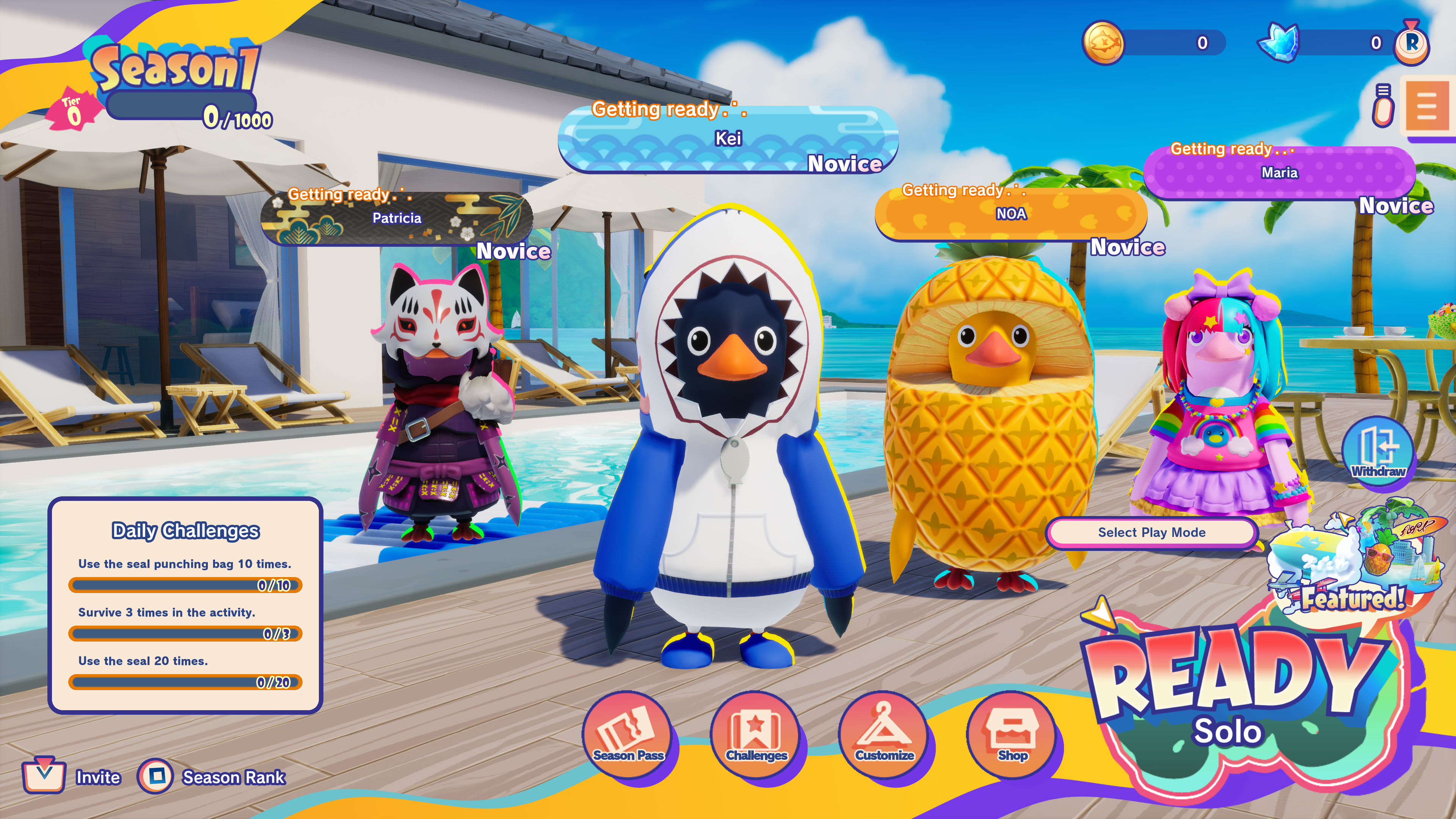
Even Those Who Dropped Out Can Continue to Play Together!
If at least one member remains in the tour,
you can become a ghost (referred to as ghost mode) and continue playing the activities together.

You can also switch to spectator mode.
Important Notes for Ghost Mode
- Ghosts cannot be seen by players who have not dropped out (referred to as active players).
- Ghosts can see and interact with each other.
- Ghosts cannot interact with certain gimmicks (such as cans of sardines and snowmen).
- Ghosts can reach the goal, but they are not counted in the goal tally.
- Ghosts cannot participate in challenges, gold rushes, or missions.
How to Form a Party
You can form a party of 2 to 4 players.
Inviting and joining a party can be done easily from the home screen.
Here, we will introduce how to form a party using an ID.
Note: You can also use friend invitations via the Epic Games account friend list.
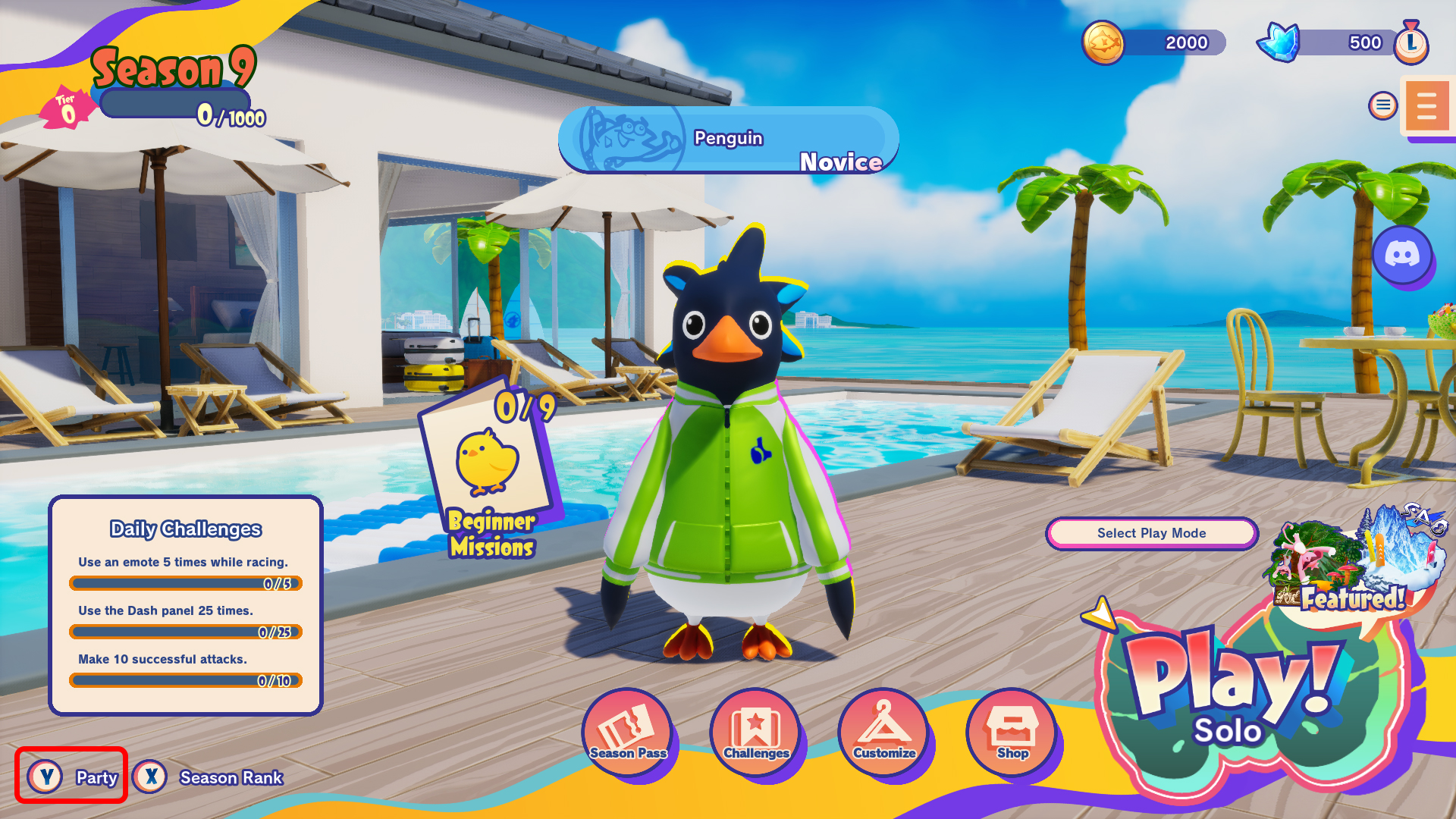 Pressing the following will open the party join/invite pop-up screen:
Switch Controller: X
PS5 Controller: △
Xbox Controller: Y
Keyboard: F3
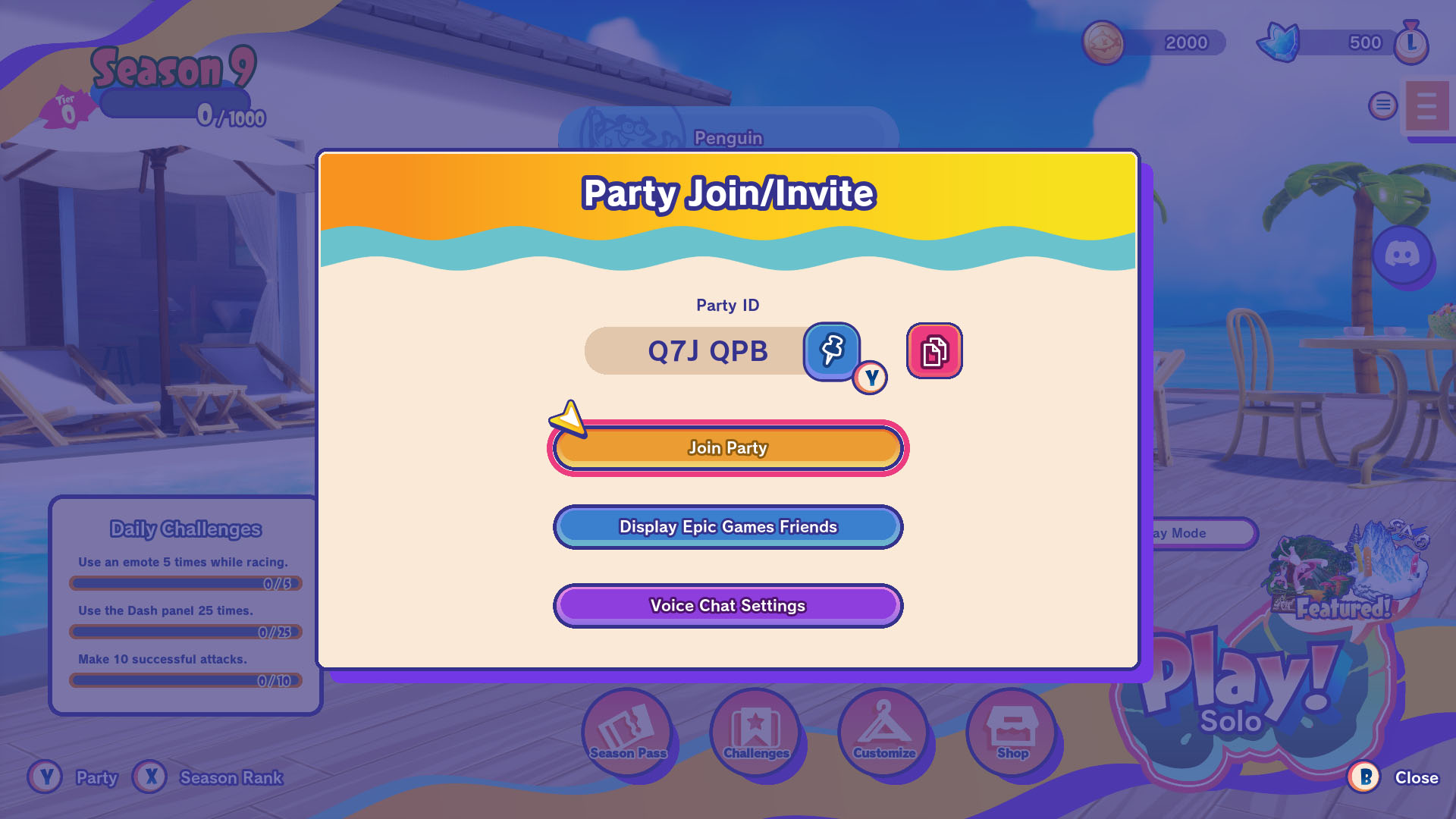
・Inviting Someone to a Party
Share the displayed ID with your friend.
・Joining a Party
Press the “Join Party” button and enter the ID you were given.
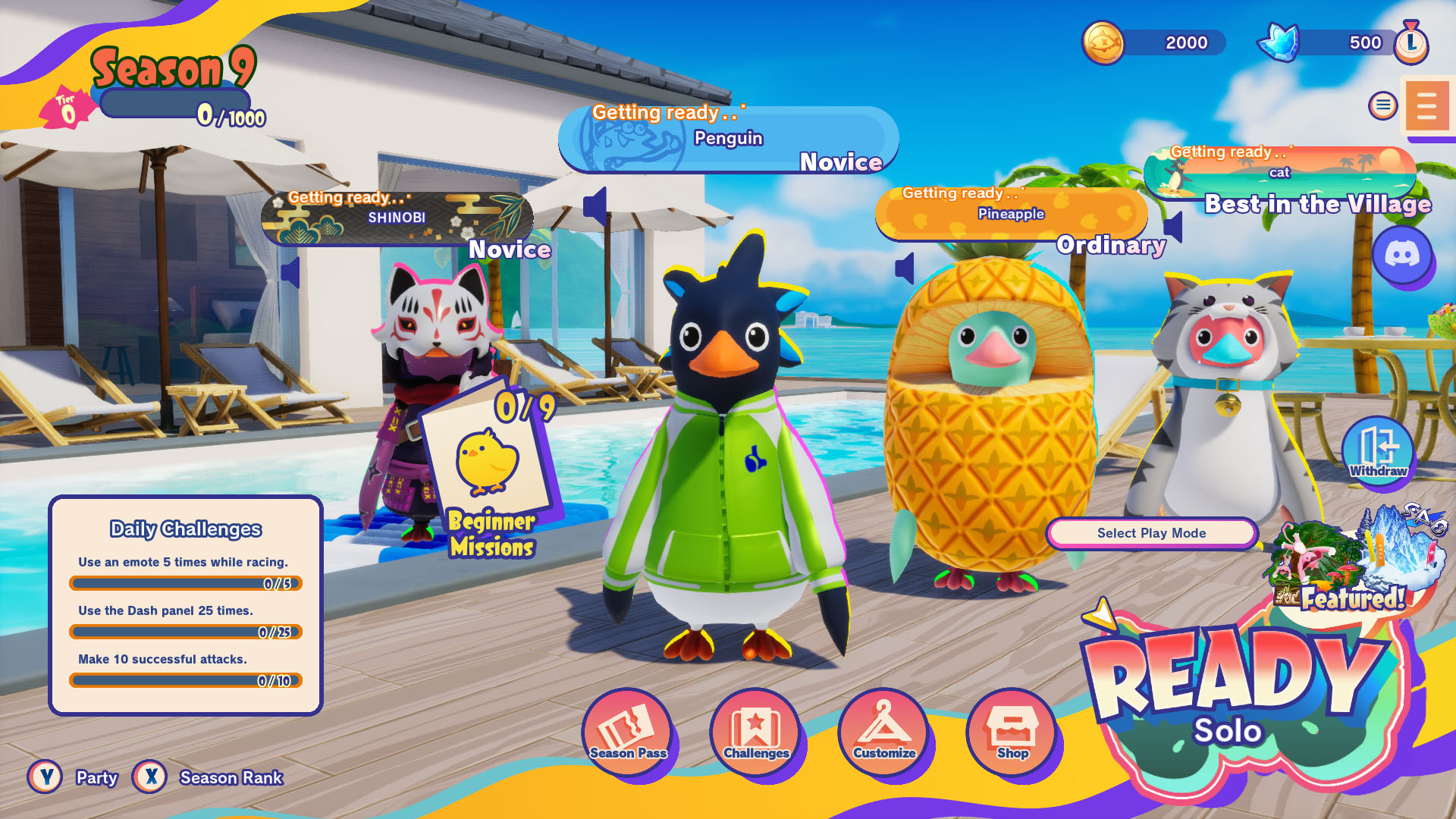 Once your friend appears on the home screen, you’re all set. Let’s head out on a tour!
How to Use Voice Chat
Party members can use voice chat with each other.
Press the following buttons to access the voice chat settings:
Switch Controller: X
PS5 Controller: △
Xbox Controller: Y
Keyboard: F3
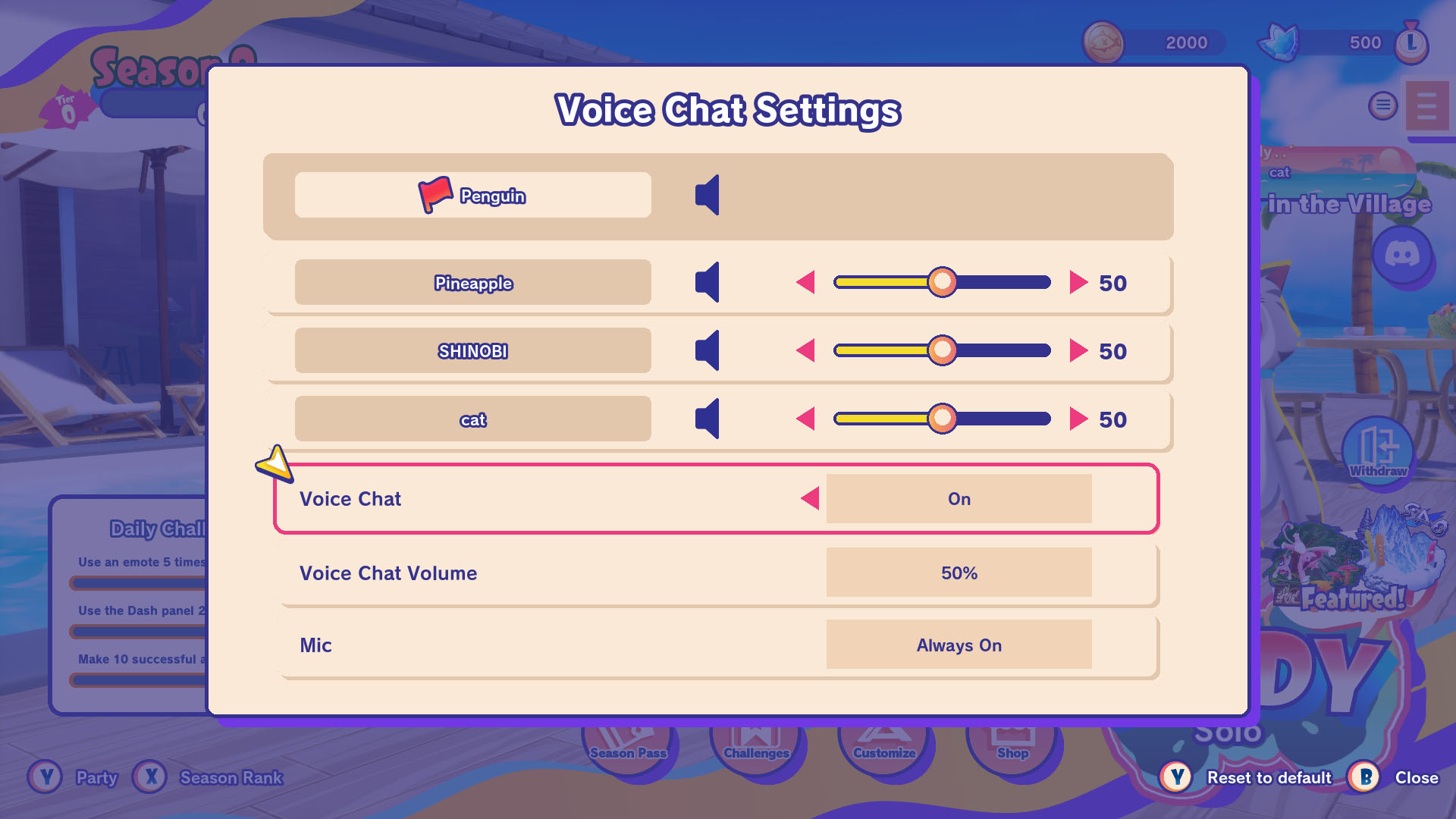 In the Voice Chat settings, you can adjust the volume and switch microphone input options.
Note:
These settings can also be changed from the “Settings & Support” screen or during activities.
Voice chat is not available in Private Matches.
Enjoy the fast-paced, chaotic survival action race featuring penguins!